Browse through our categories on the homepage—such as Home Goods, Tableware & Kitchenware, Industrial Supplies, or Medical Supplies—or use the search bar at the top to find specific items. Review the detailed specifications, dimensions, colors, prices, and latest offers. Once you have found your desired item, select the quantity and click "Add to Cart."
Shopping Process

Select Products
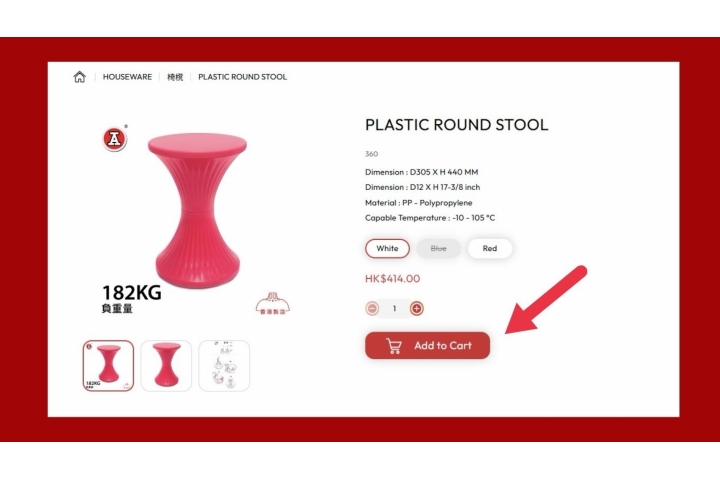

Add to Cart
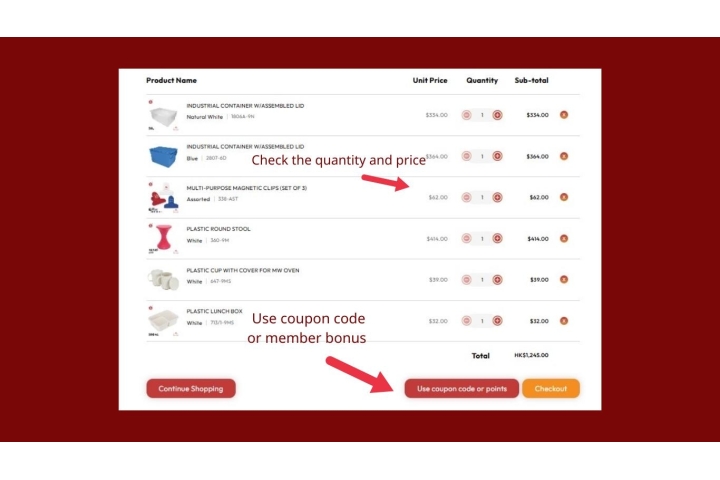
You may continue browsing to add more items to your selection. When you are finished, click the Cart icon in the top right corner to view your shopping cart. Here, you can review your list, adjust quantities, or remove items before confirming the total amount.

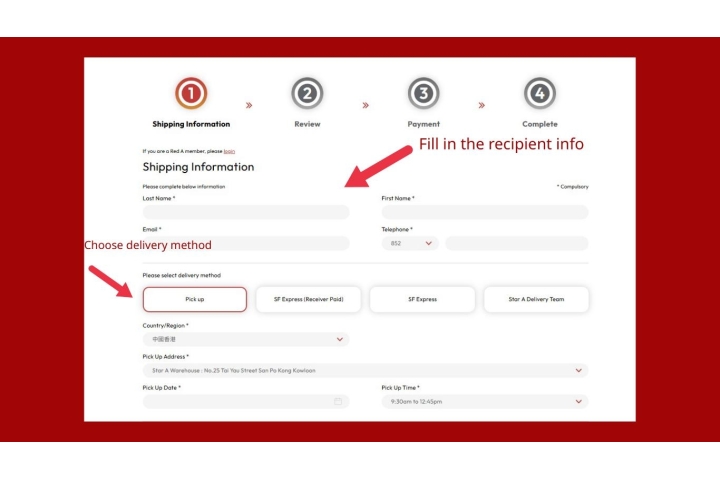
Enter Shipping Information
Click "Checkout" (or apply any "Discount Codes/Points"). On the checkout page, please provide the recipient's full name, contact number, and a detailed delivery address. We provide shipping services across Hong Kong Island, Kowloon, the New Territories, and Outlying Islands. Select your preferred delivery method to proceed.

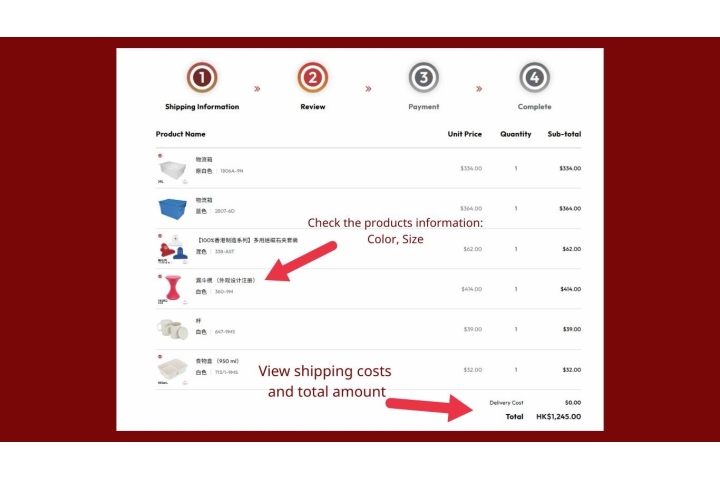
Review Your Order
Before making a payment, please carefully verify all order details. This includes the product list, quantities, colors, specifications, total amount, shipping fees, discounts, and the delivery address to ensure all information is accurate.

Complete
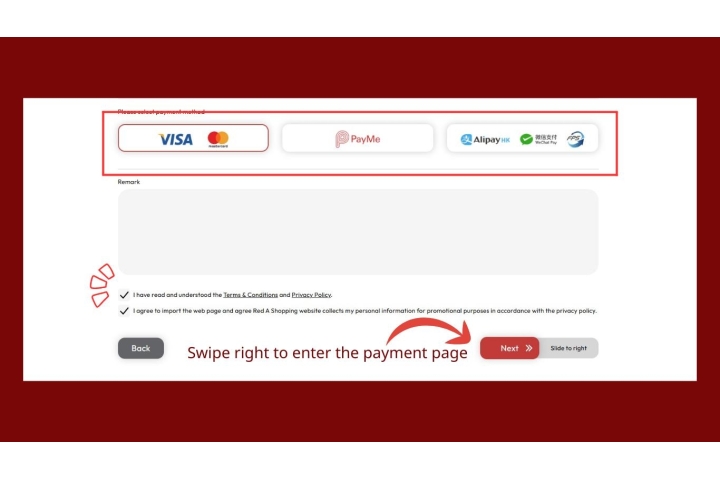
Once confirmed, select your preferred payment method (we support PayPal, Alipay, WeChat Pay, PayMe, or UnionPay) and follow the instructions to complete the transaction. Upon success, an order confirmation page will be displayed, and a confirmation email will be sent to you immediately. You can then use your order number to track your delivery progress.